Microscope — the instrument these data come from
The Microscope page of Preferences describes the electron
microscope this installation of 4d works with: its name, and the optical
constants that every processing step needs but that the image files do not
always carry. The values live in the user-level configuration file
4d.cfg and apply to every project you open on this computer.
The ? button at the right end of the Microscope Parameters title line opens this page.
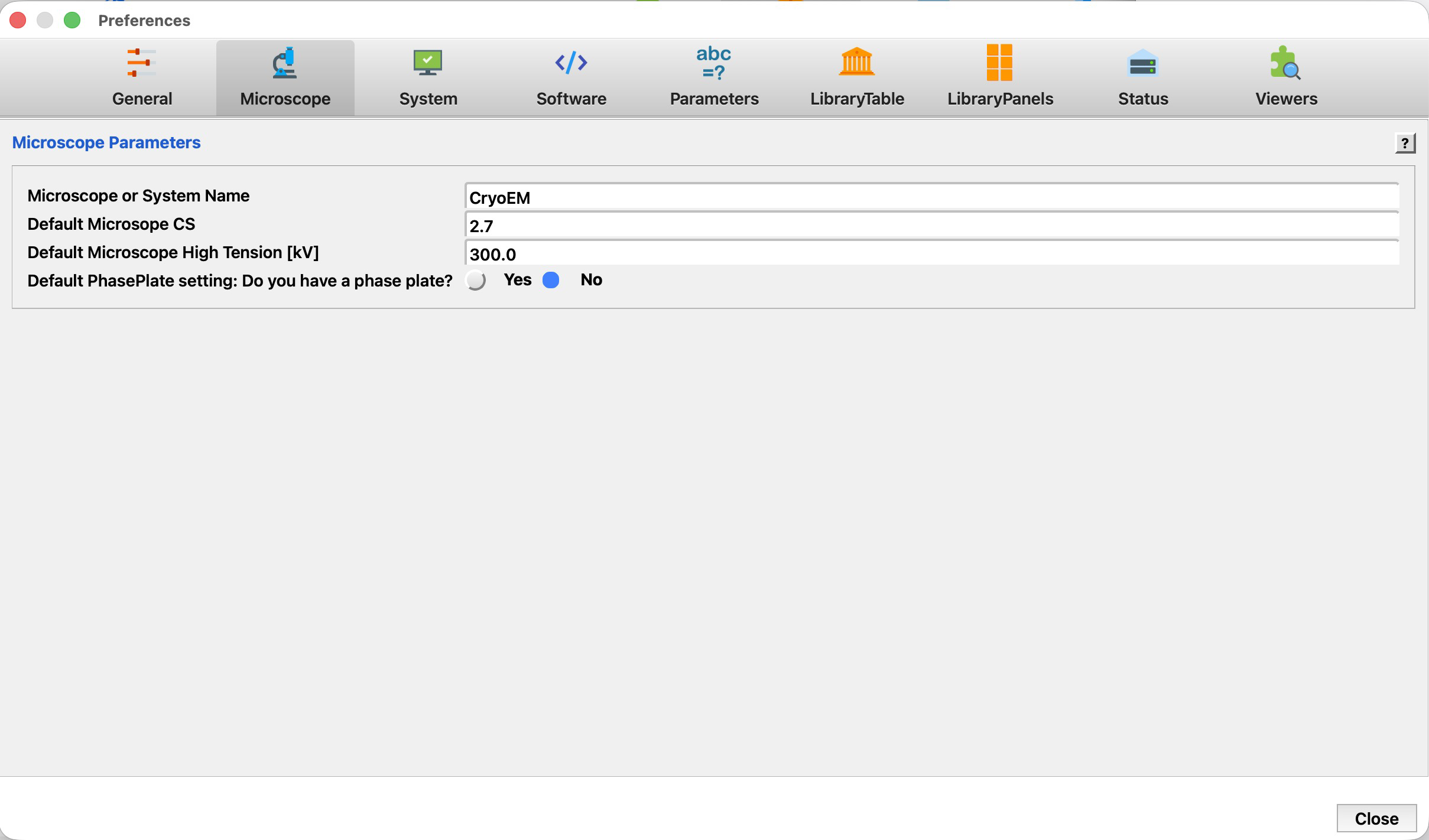
Microscope Parameters
These four entries are the defaults of the instrument. They matter most at import: when a recording arrives without the corresponding value in its header or metadata file, the processing scripts fall back to what is set here. A value already known for an image is never overwritten by these defaults, so correcting a wrongly detected voltage on a single image stays in effect.
| Parameter | Label | Meaning | Default |
|---|---|---|---|
Microscope_Name | Microscope or System Name | A name for this microscope or computer system. It identifies the instrument in the subject and header of the status e-mails 4d sends, so give each microscope of a facility its own name. | CryoEM |
Default_CS | Default Microscope CS | Spherical aberration constant Cs of the objective lens, in millimetres. It enters every CTF fit; a wrong value biases the fitted defocus. Typical values are 2.7 mm for an uncorrected Titan/Glacios and 0.01 mm for a Cs-corrected instrument. | 2.7 |
Default_KV | Default Microscope High Tension [kV] | Acceleration voltage of the microscope, in kilovolts — 300, 200 or 120 kV for most instruments. It sets the electron wavelength used by the CTF fit and by every resolution estimate. | 300.0 |
Default_phase_shift_doit | Default PhasePlate setting: Do you have a phase plate? | y when the microscope has a phase plate, so that the CTF fit searches for an additional phase shift by default; n otherwise. Searching for a phase shift that is not there costs time and can destabilise the fit. | n |